
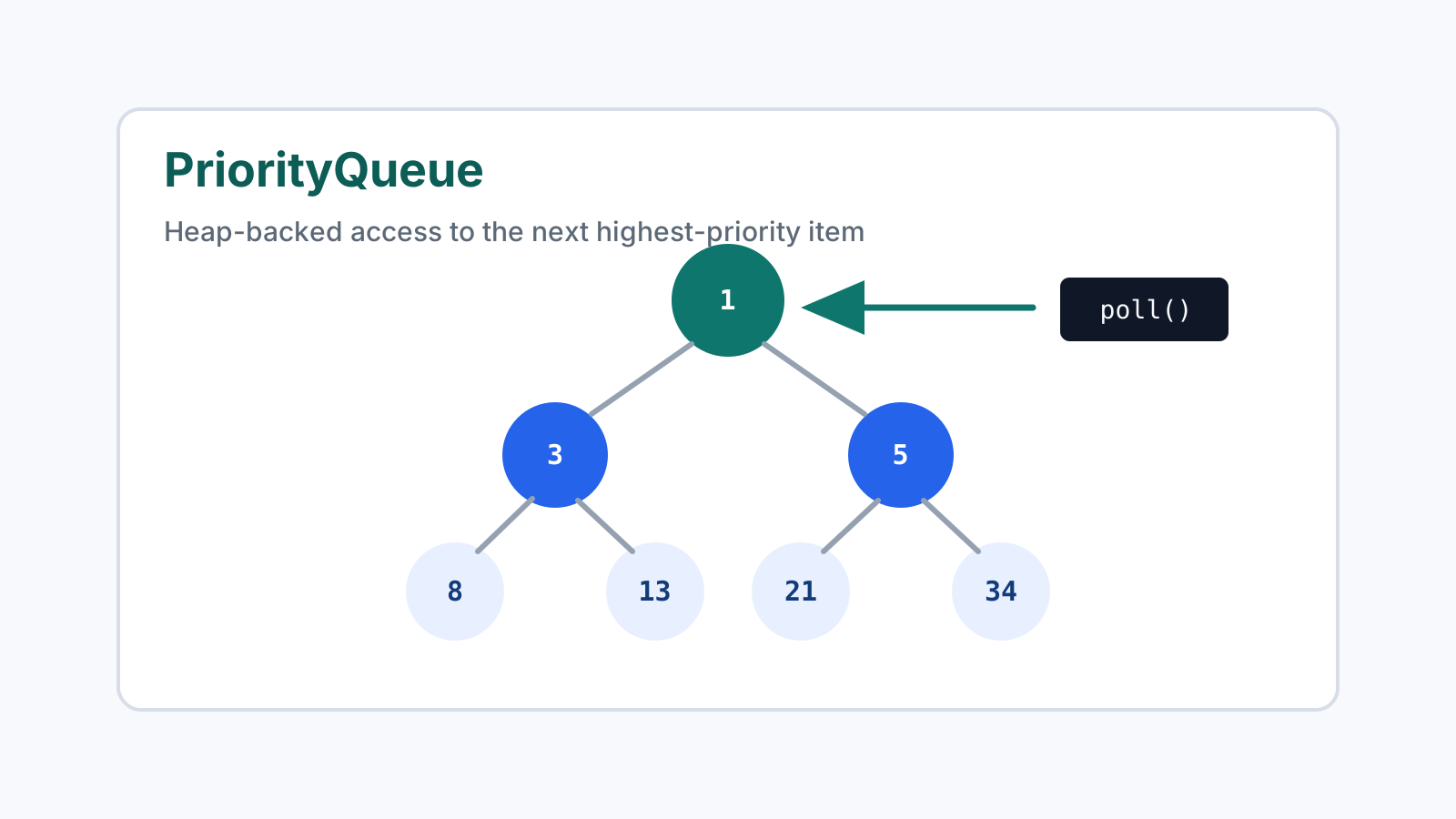
PriorityQueue is Java’s standard heap-backed priority queue. It is useful when you repeatedly need the next smallest, next largest, earliest, cheapest, or highest-priority item without sorting the entire collection after every insert.
Quick answer
Use PriorityQueue when you need repeated access to the next item by priority. It gives O(log n) insertion, O(log n) removal with poll(), and O(1) access to the current head with peek().
Do not use it when you need sorted iteration, fast lookup by arbitrary element, or stable ordering among equal-priority items.
What PriorityQueue guarantees
By default, Java’s PriorityQueue is a min-priority queue. The element returned by peek() or removed by poll() is the smallest element according to natural ordering or a custom Comparator.
PriorityQueue<Integer> queue = new PriorityQueue<>();
queue.add(30);
queue.add(10);
queue.add(20);

System.out.println(queue.poll()); // 10
After 10 is removed, the queue reorganizes its internal heap so the next smallest element becomes the head.
Custom ordering
To create a max-priority queue, pass a reversed comparator.
PriorityQueue<Integer> maxQueue = new PriorityQueue<>(Comparator.reverseOrder());For domain objects, compare the exact field that defines priority.
record Task(String id, int priority, long createdAt) {}

PriorityQueue<Task> tasks = new PriorityQueue<>(
    Comparator
        .comparingInt(Task::priority)
        .thenComparingLong(Task::createdAt)
);
The thenComparingLong part makes ties more predictable. Without a tie breaker, two tasks with the same priority can be returned in either order.
Iteration is not sorted
A common mistake is assuming that iterating over a PriorityQueue returns elements in priority order. It does not. Only peek() and poll() respect the queue’s priority guarantee.
If you need sorted output, repeatedly call poll() or copy the queue into a list and sort it.
while (!queue.isEmpty()) {
    System.out.println(queue.poll());
}
This destroys the queue. If you need to keep the original queue, copy it first:
PriorityQueue<Integer> copy = new PriorityQueue<>(queue);
while (!copy.isEmpty()) {
    System.out.println(copy.poll());
}
Common use cases
- Finding the top K elements
- Merging sorted lists
- Dijkstra’s shortest path algorithm
- Scheduling jobs by priority
- Processing events in timestamp order
Top K example
For top K problems, a priority queue avoids sorting every item. To keep the largest k numbers, use a min-heap of size k.
PriorityQueue<Integer> top = new PriorityQueue<>();

for (int value : values) {
    top.offer(value);
    if (top.size() > k) {
        top.poll();
    }
}
At the end, the queue contains the k largest values. The smallest of those top values is at the head. This pattern is common in ranking, search results, metrics dashboards, and interview problems.
Complexity
Insertion is O(log n). Removing the highest-priority element with poll() is also O(log n). Reading the current highest-priority element with peek() is O(1).
| Operation | Complexity | Note |
|---|---|---|
offer() / add() | O(log n) | Adds an item and restores heap order. |
peek() | O(1) | Reads the current head without removal. |
poll() | O(log n) | Removes the current head and rebalances. |
contains() | O(n) | The queue is not optimized for arbitrary lookup. |
| Iteration | O(n) | The iteration order is not sorted. |
PriorityQueue vs sorting
Sorting a list is often simpler when you need one final ordered result. A priority queue is more useful when items arrive over time or when you repeatedly need only the next best item.
For example, sorting 1,000 search results once may be fine. Keeping the top 10 results while scanning a much larger stream is a better priority queue use case because the queue can stay small while the input grows.
Common mistakes
The first mistake is expecting iteration to be sorted. A priority queue is organized enough to find the head efficiently, not enough to print every element in sorted order.
The second mistake is writing an unsafe comparator. Avoid subtraction-based comparators such as (a, b) -> a.score - b.score because integer overflow can produce incorrect ordering. Prefer Integer.compare(a.score(), b.score()) or Comparator.comparingInt.
The third mistake is mutating objects after they are inserted. If an object’s priority field changes while it is inside the queue, the heap will not automatically move it. Remove and reinsert the object, or design the queued value to be immutable.
The fourth mistake is using PriorityQueue as a concurrent queue. PriorityQueue is not thread-safe. For concurrent producer/consumer workloads, look at PriorityBlockingQueue and still think carefully about shutdown, backpressure, and task ownership.
When not to use PriorityQueue
Use a sorted list when you mostly need one sorted snapshot. Use TreeSet or TreeMap when you need sorted membership and lookup. Use ArrayDeque when all items have the same priority and you only need FIFO queue behavior.
Use PriorityQueue when incremental priority access is more important than full sorted iteration.
Related reading
Read Heap Patterns Explained for bounded top K, two-heap medians, k-way merge, and scheduling. Queue vs Deque in Java compares FIFO and double-ended queues, while Top K Elements Explained focuses on the most common priority-queue interview pattern. Continue through the Java Collections Learning Path and Algorithms learning path.